Our Process
We'd love to show you how we designed Roominate
Domain
Organization & Cleaning
Project Type
Interface Design for a Mobile App
Brief
Research, propose, design, prototype, evaluate and refine an interactive system designed for a specific domain and context.
Our Approach
How are we approaching this problem?
Week One: Research
Understanding the Problem
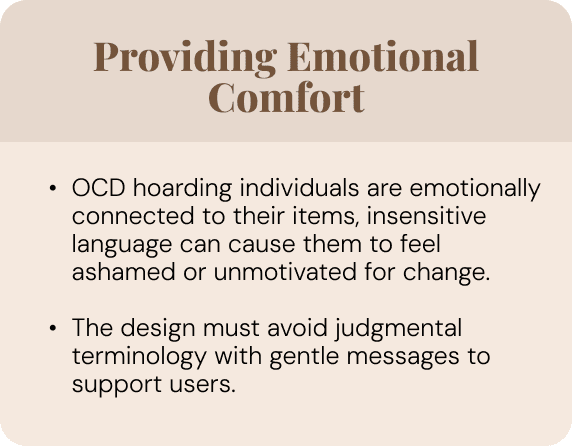
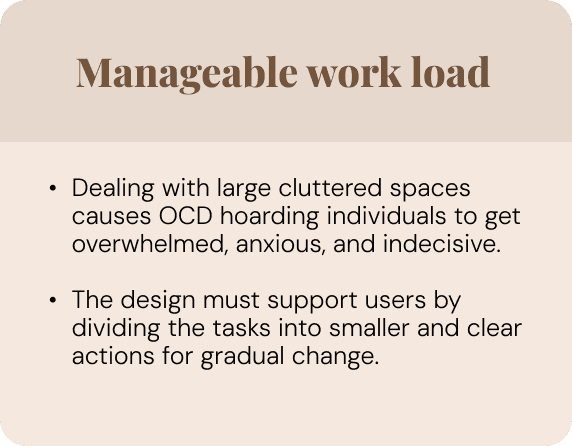
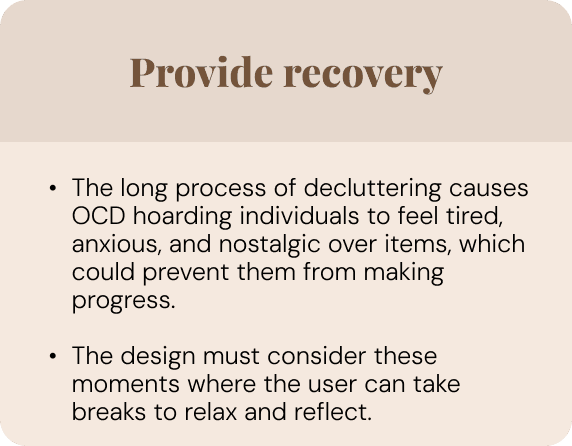
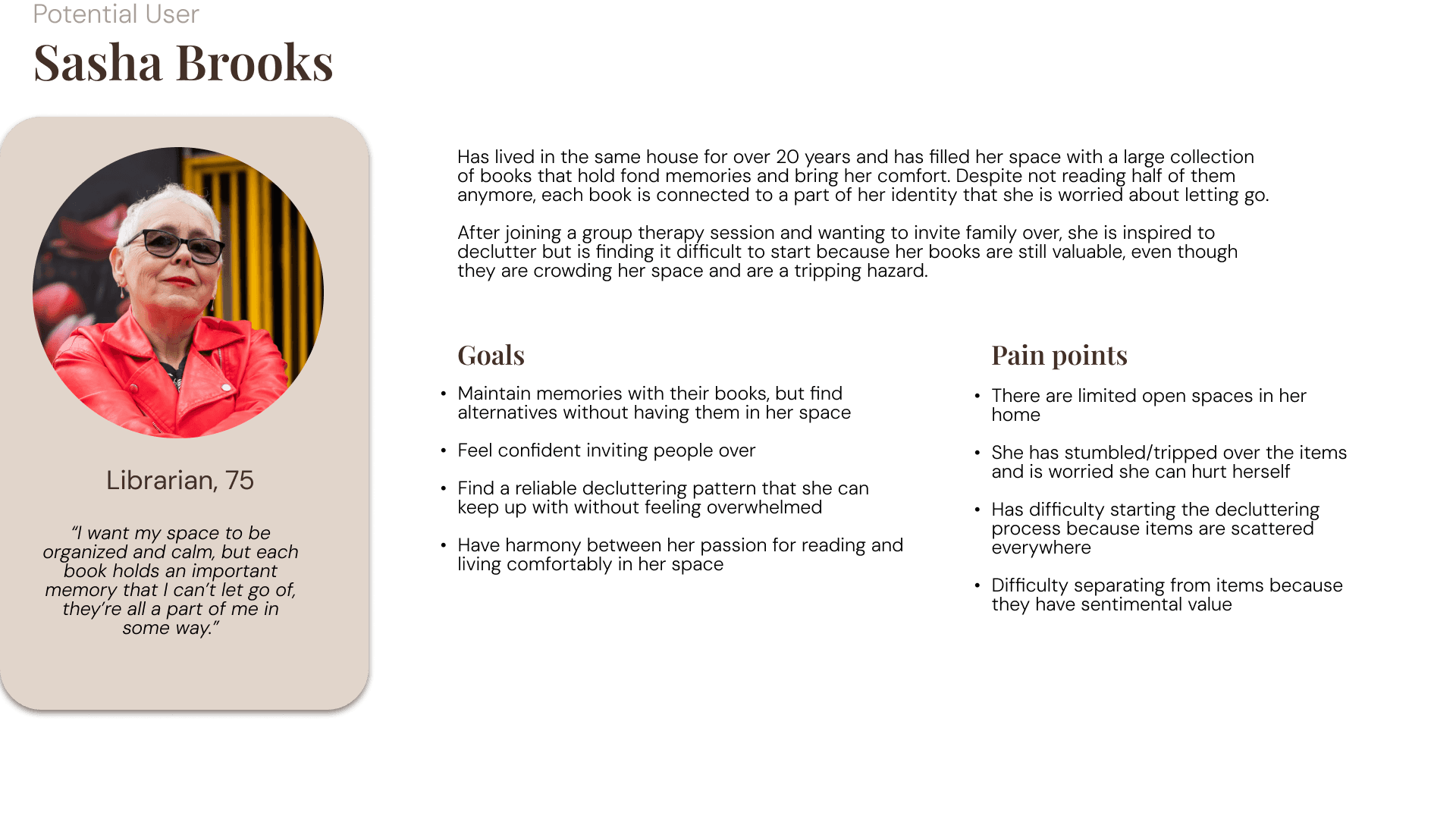
We conducted background research on hoarding disorder, ADHD-related executive dysfunction, and emotional attachment to objects.
- Difficulty starting decluttering sessions due to scattered items
- Strong sentimental attachment preventing disposal
- Overwhelm caused by unstructured tasks
- Lack of beginner-friendly tools to ease users into decluttering
- Key insight: Users need both structure and emotional reassurance.
Week Two: Wireframes & Mockups
Designing for Calm and Clarity
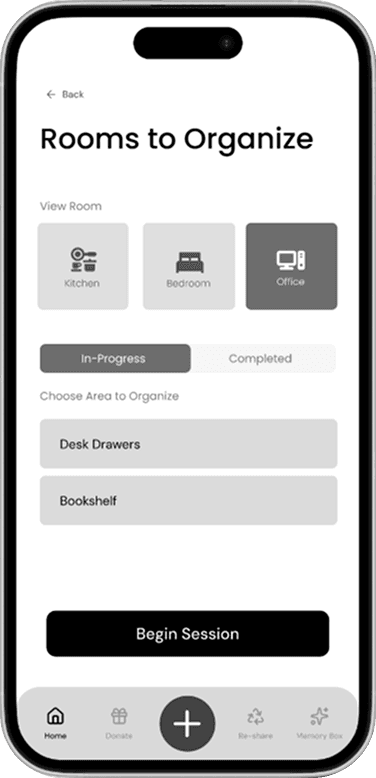
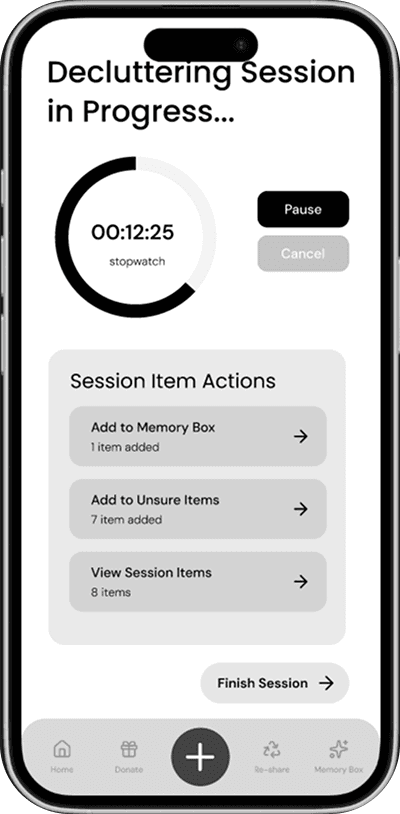
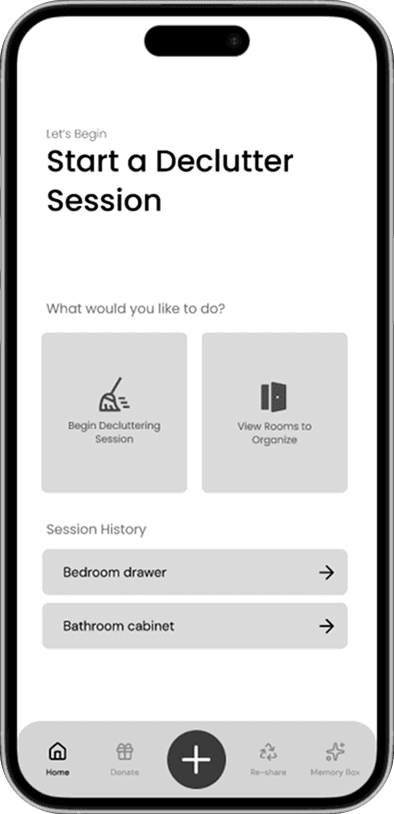
We translated research insights into wireframes and mockups that focused on:
- Realistic, user-centered goals
- Clear step-by-step decluttering sessions
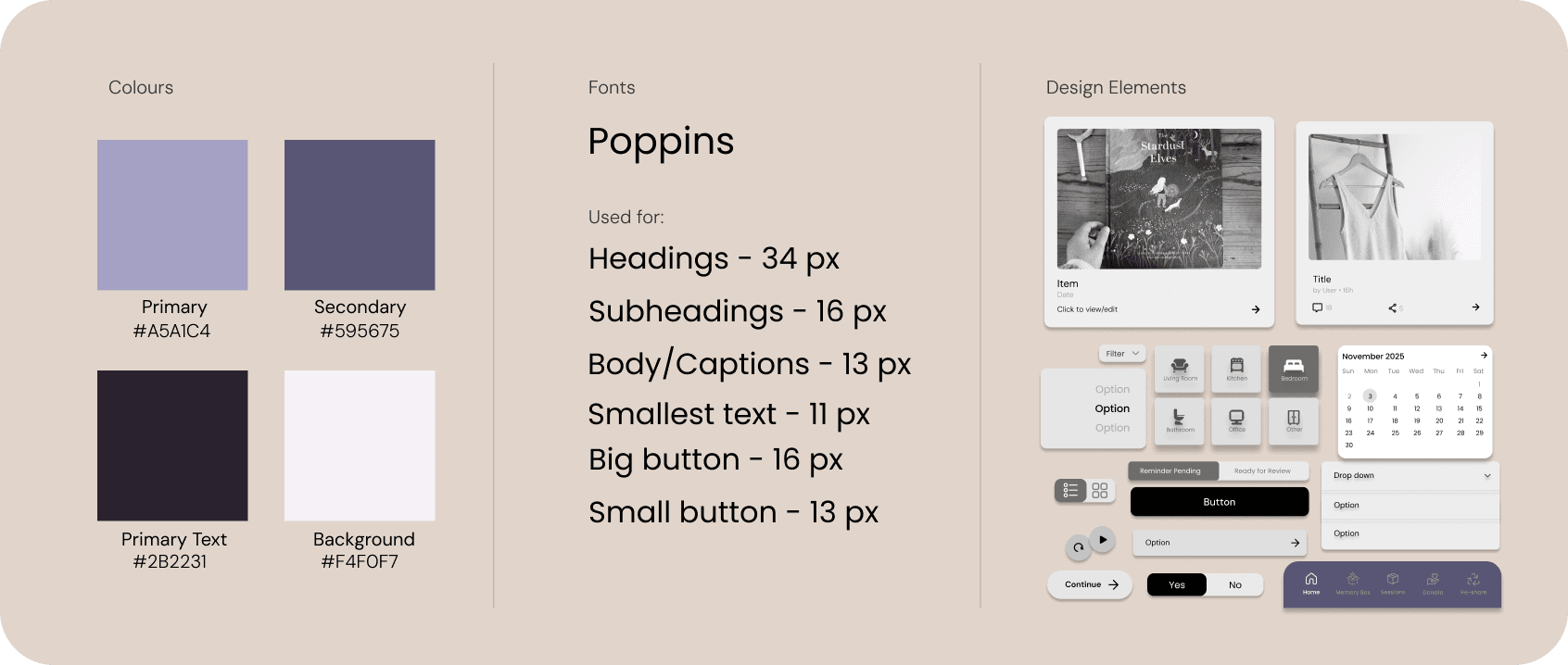
- Large, readable typography and soft visuals
- Encouraging but non-judgmental language
- Minimal cognitive load per screen
- A complete style guide was created to maintain consistency across components, colors, and interaction states.
Week Three: User Flow & Interaction
Supporting Different Needs
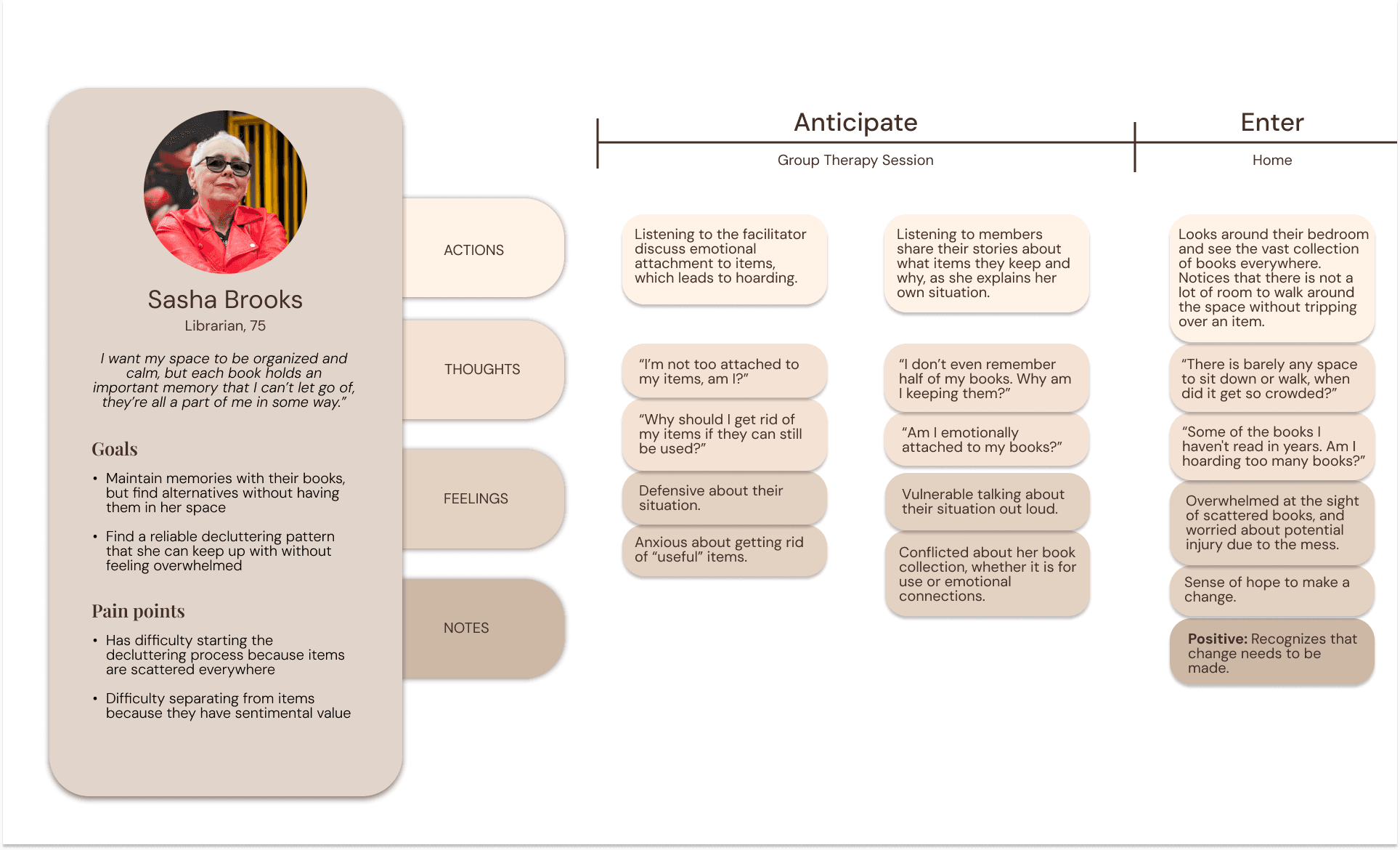
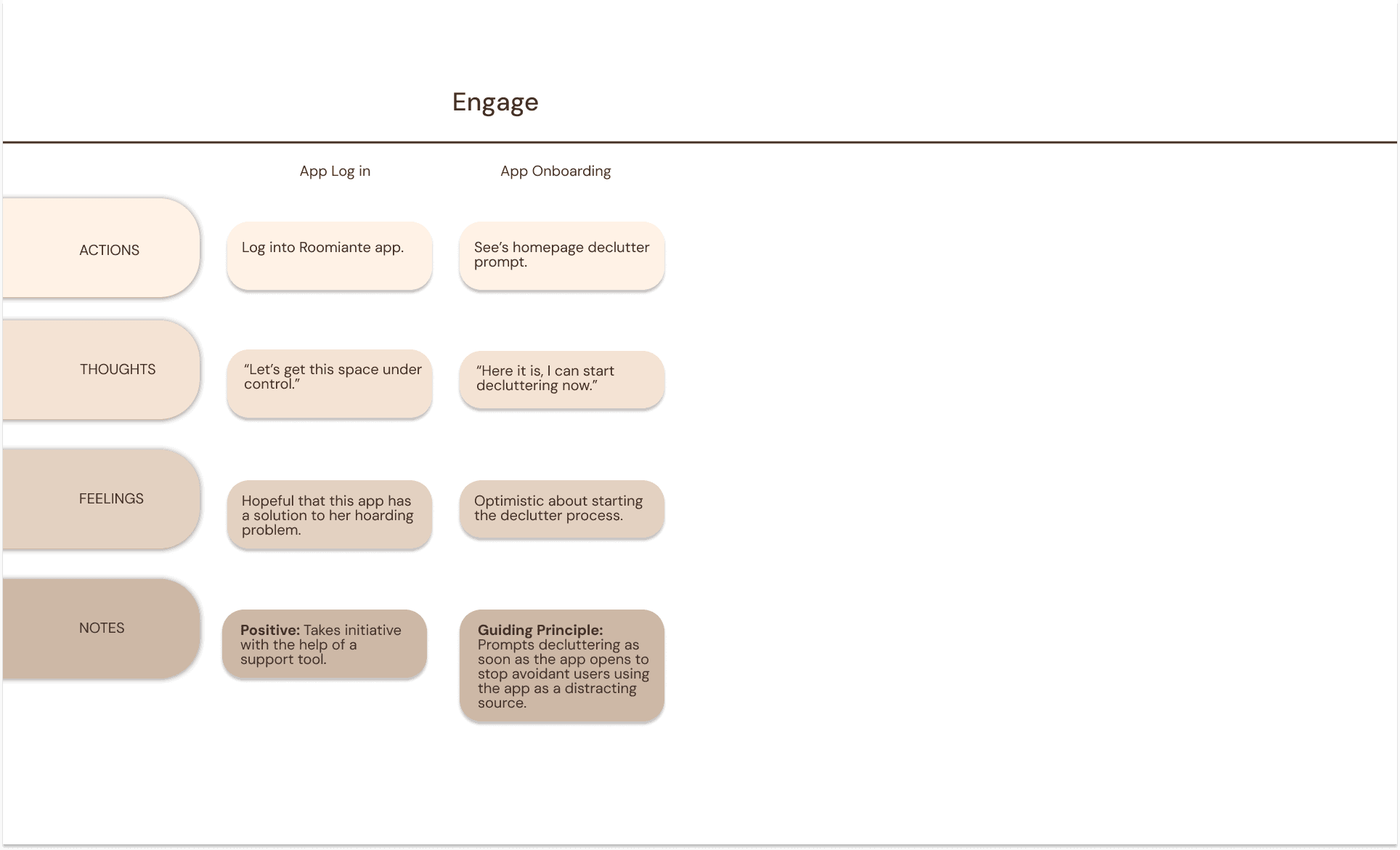
Roominate supports multiple user paths:
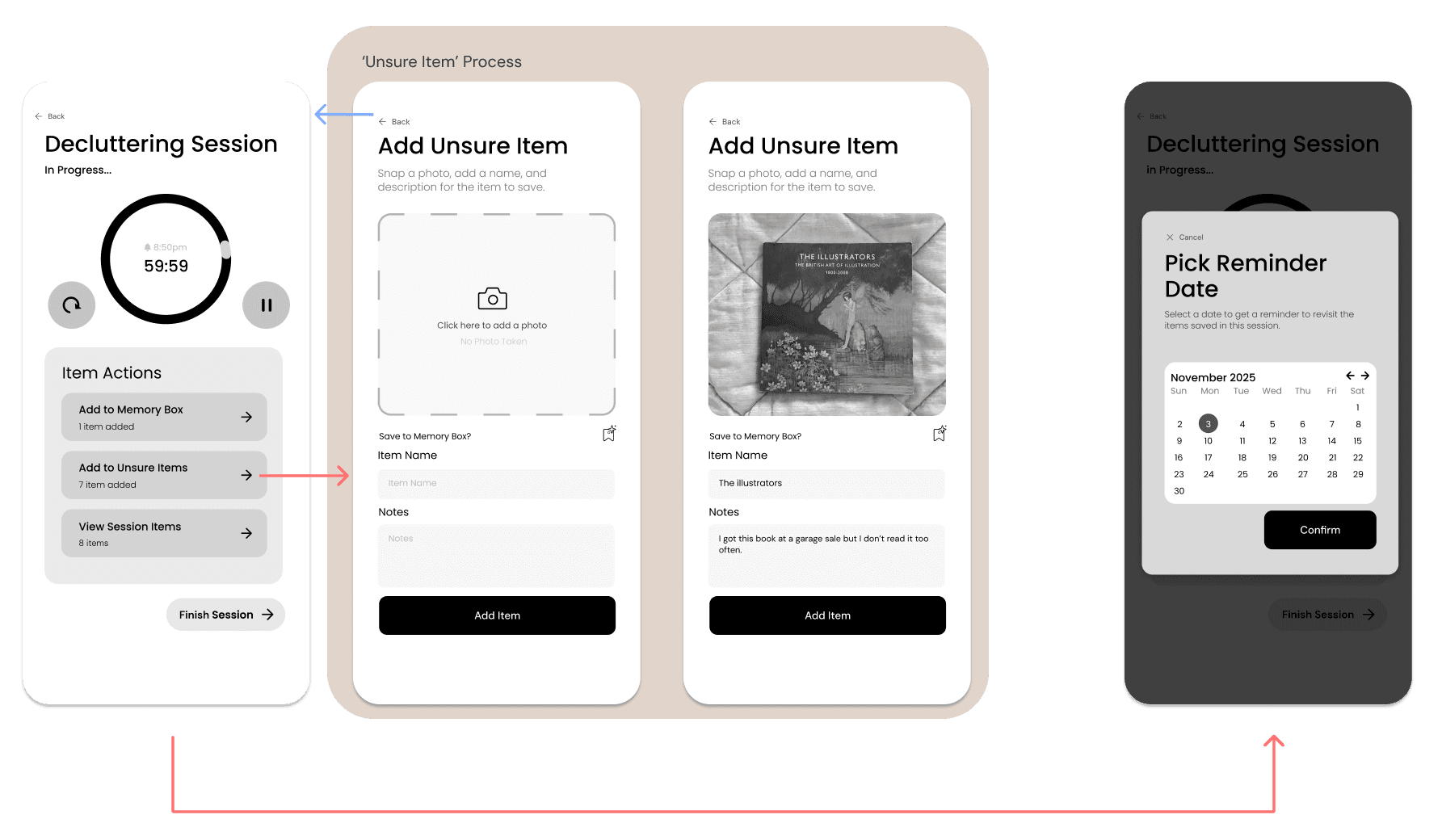
- Beginners can follow full guided sessions with timers
- Experienced users can skim, skip, or manage items quickly
- Unsure items ease decision anxiety
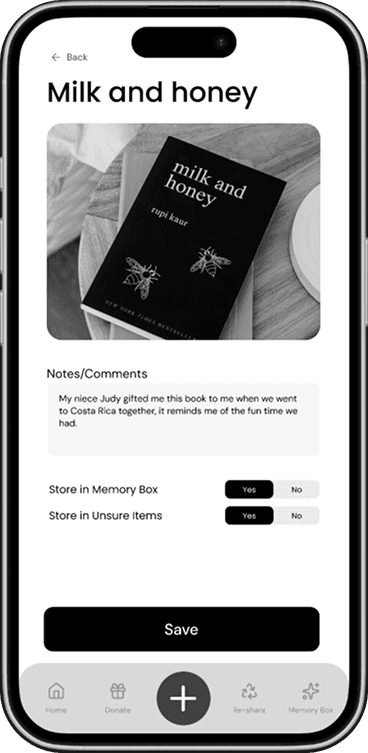
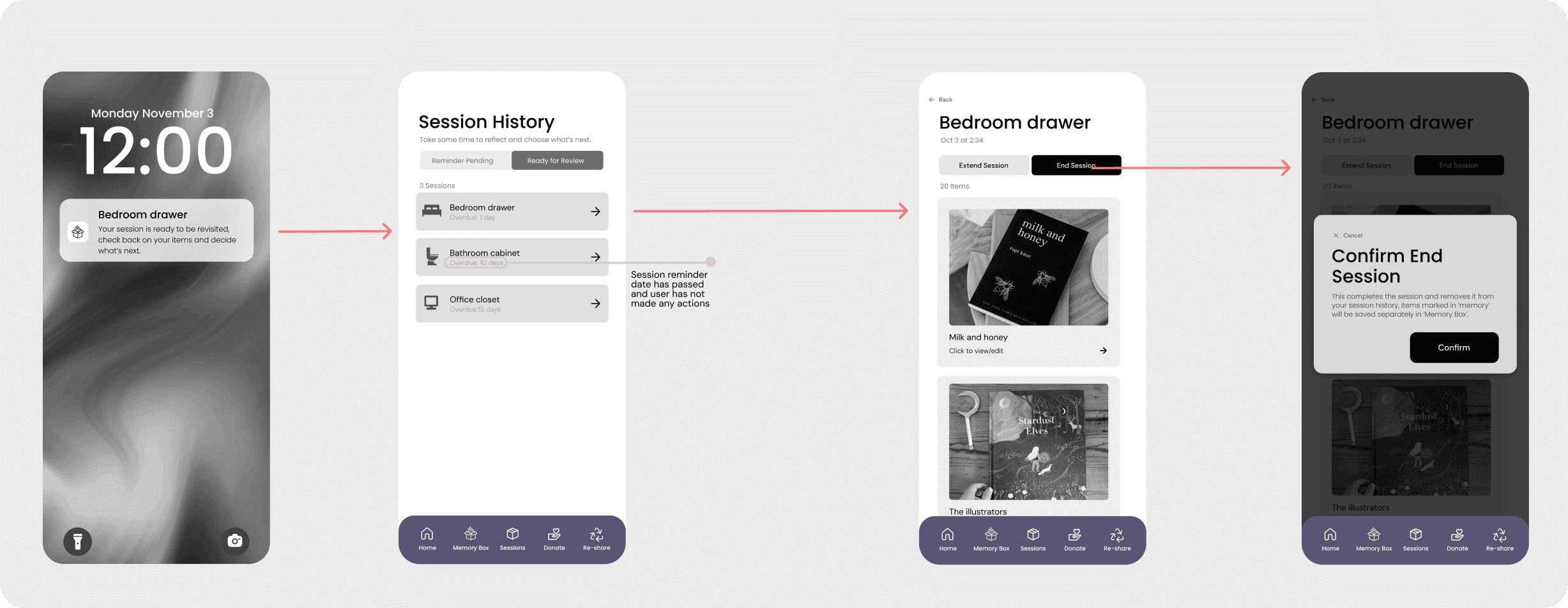
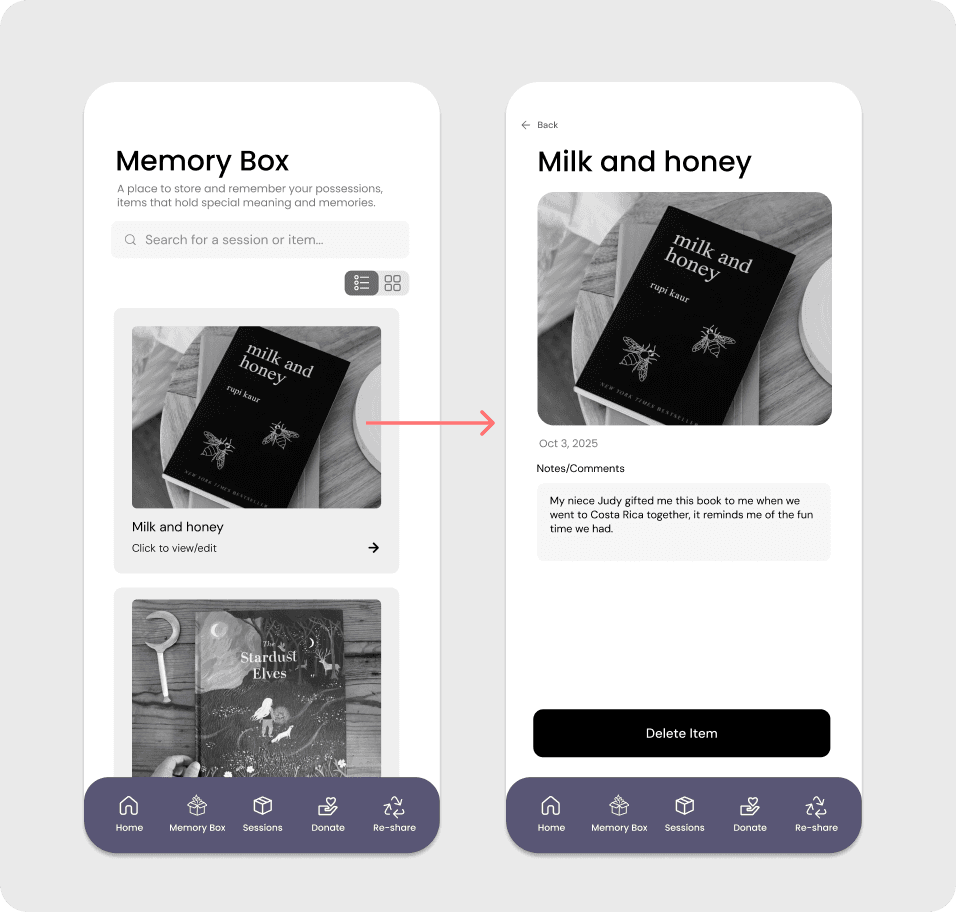
- Memory Box allows users to part with items while preserving meaning
Week Four: Mockups & Usability
Iterating Based on Feedback
Based on usability testing and critique, we refined:
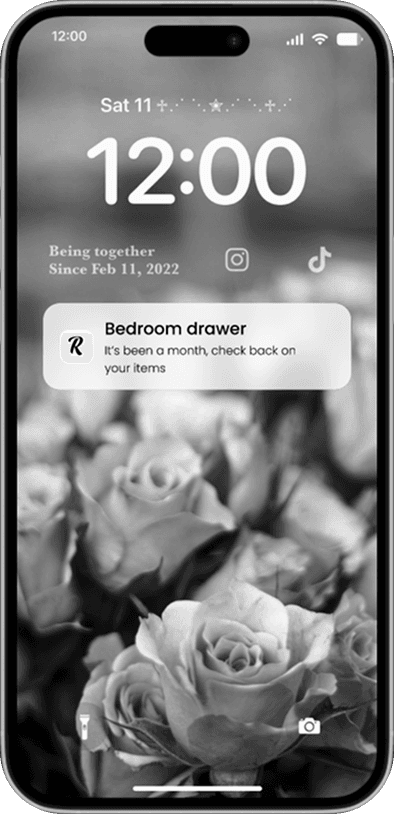
- Session reminders and overdue indicators
- Memory Box layout for emotional clarity
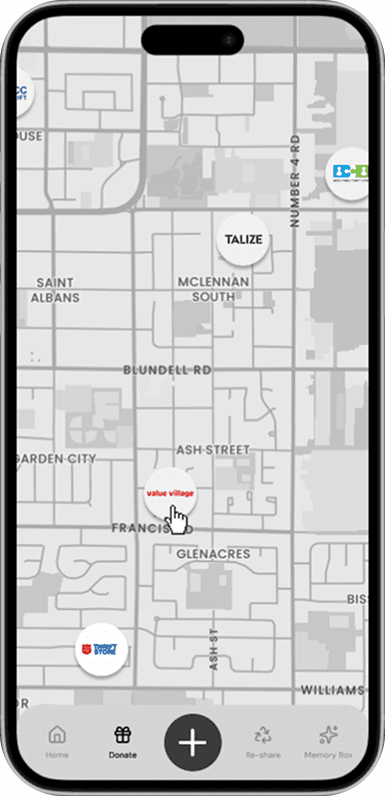
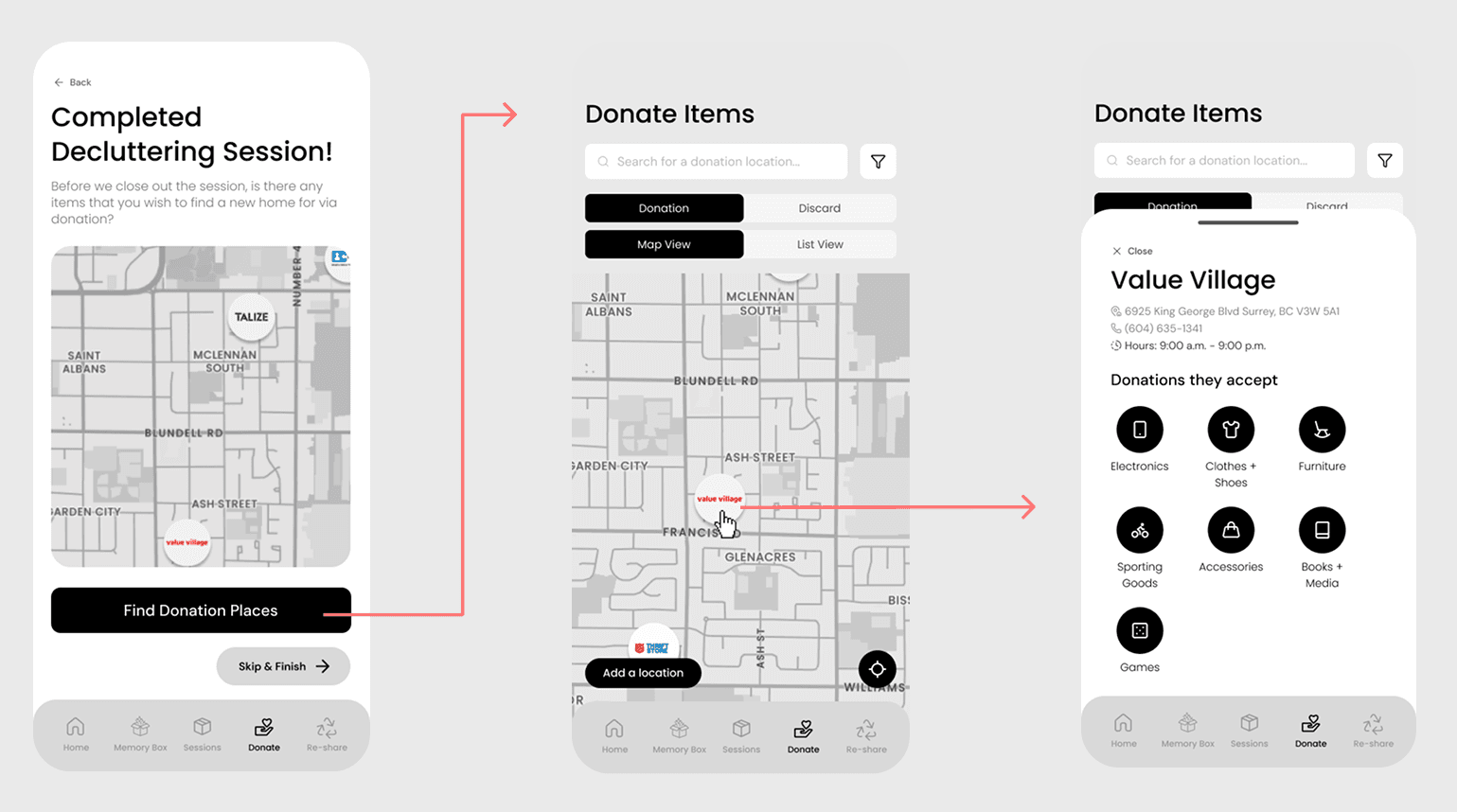
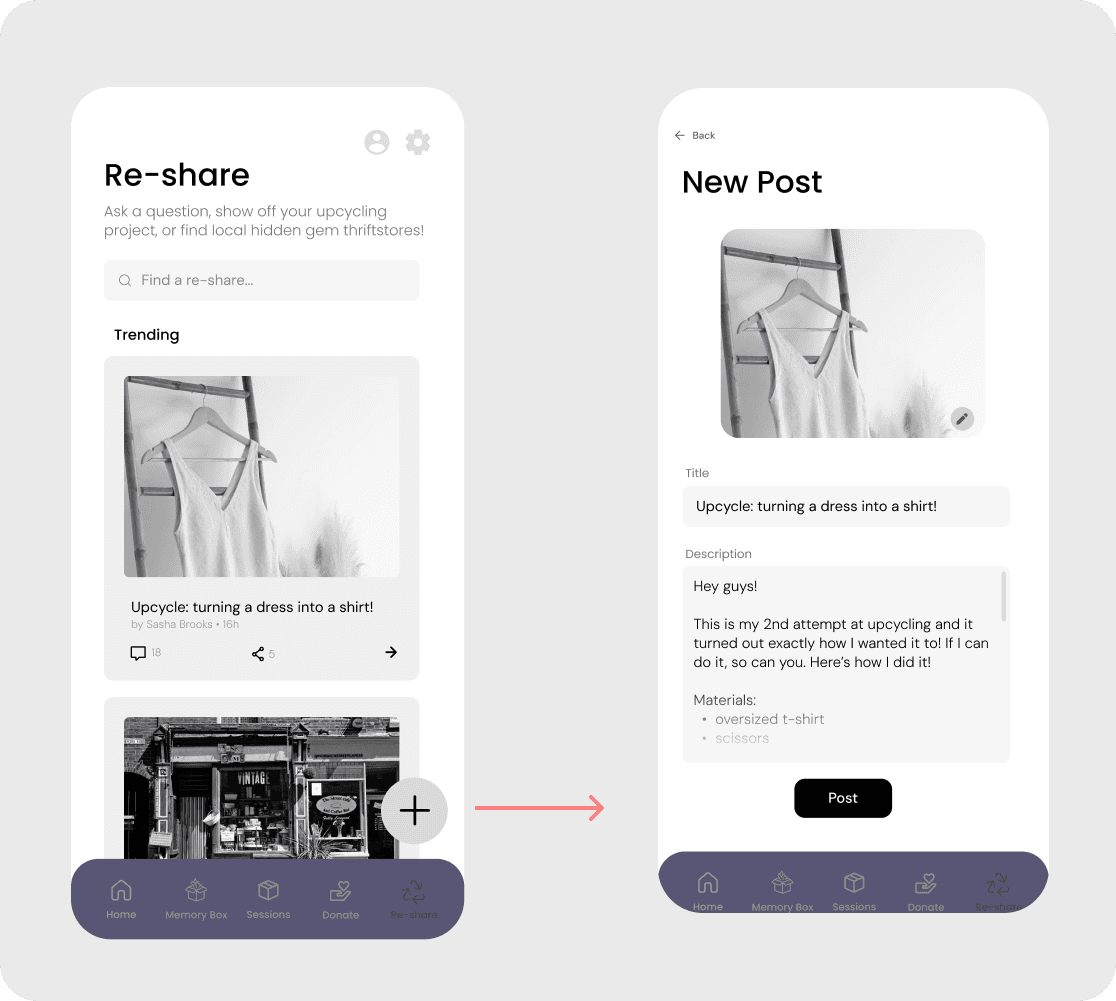
- Donation flow with map and list views
- Reduced visual noise to prevent overwhelm
Week Five: Refinements & Final App
Adding the Details
Based on usability testing and critique, we refined:
- Modified titles and text for understanding
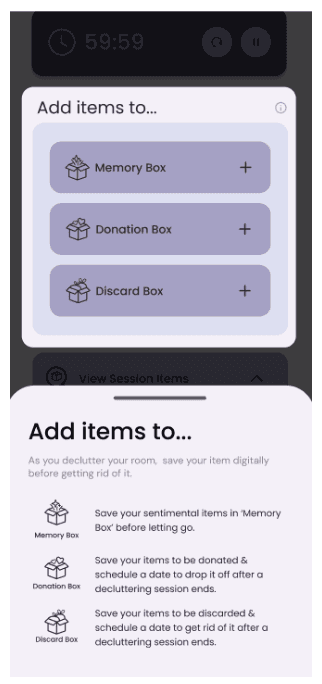
- Integrated a simple tutorial to virtually erase the learning curve
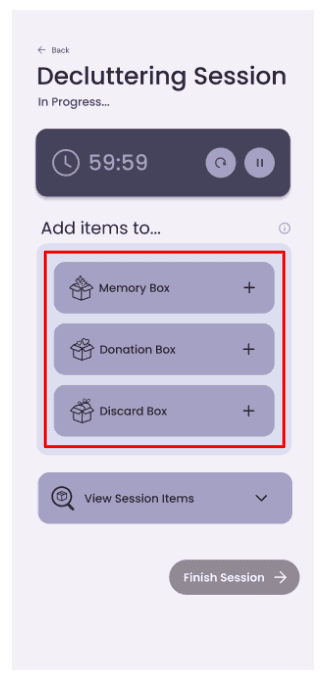
- Separated 'Unsure Items' into 'Donation/Discard Items' for clarity
- Created interactivity between the map and items for practicality
- Refined our categorization tabs for quick navigation
- Added a calendar page for intuitive viewing
Usability Testing
Research Overview
- Conducted user research with 8 individuals (ages 22-70)
- Prioritized in-person interviews within their residences to recreate a realistic decluttering process
- Testing scope: user flow from start to finish; exploration of all features
- User scenario was provided so users had a goal to accomplish
- Methods used: direct observation, the think aloud method, and constructive interaction
We conducted user research with 8 individuals ranging from ages 22-70. In-person interviews within their residences were prioritized to recreate a realistic decluttering process. Our testing scope was the entire app user flow and an exploration of all the features, with a provided user scenario so users had a goal to attempt to accomplish. The methods we used were direct observation, the think aloud method, and constructive interaction.
Usability Testing
Design Issues
We encountered two different types of problems: usability and user-experience issues.
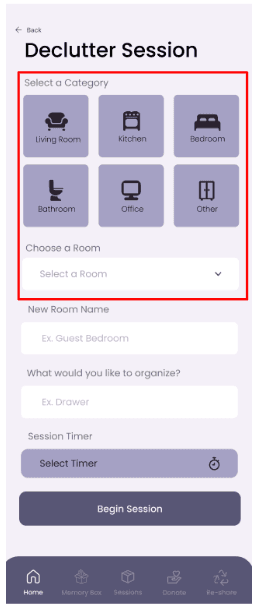
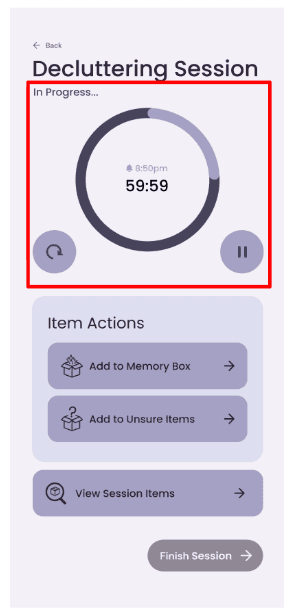
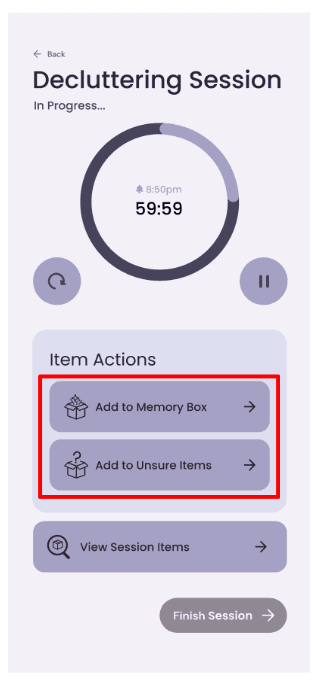
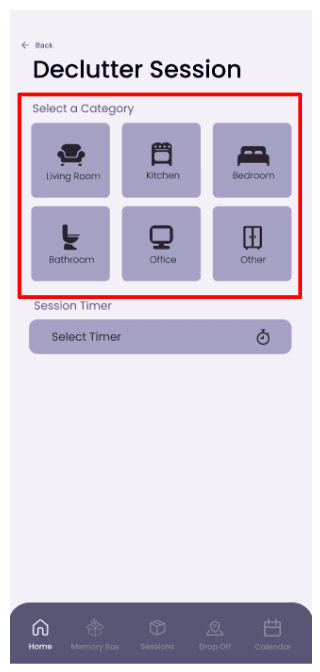
The usability issues were problems that dealt with efficiency, intuitiveness, and effectiveness in helping users complete a task. We encountered two minor issues that caused confusion and anxiety. The first issue was the confusion between the category icon selections and the room selection dropdown. Why users would 'select a room' after selecting a room category was not clear. This lack of differentiation lead to confusion and obscurity. The second issue was with the look of the timer. The constantly circulating, progress-indicating visual was stressful and anxiety-inducing. The usability of the user was affected because it caused the user to be in an uncomfortable state.
The user-experience issues were problems that dealt with understanding, the user journey, and the work flow of our app. Our one major issue that arose was understanding the concepts of the 'Unsure Items' and the 'Memory Box'. It lacked explanation and context, and the user didn't know what they meant or what to do with them. They also virtually had the same function as the interaction for both were the same. The goal of our app was compromised, and our main feature was not simple to understand.
Usability Testing
Design Solutions
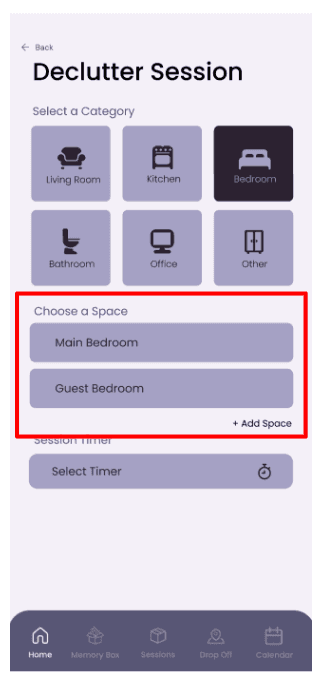
To combat the usability issues, we made the room selection process intuitive and clarified the titles. Once the user selected a category, then a space selection would show up. Example text would show the purpose of the space, such as 'Main Bedroom'.
We removed the large, circulating visual for the anxiety-inducing timer. It has been replaced with a non-intrusive, simple timer that still indicates the progress completed.
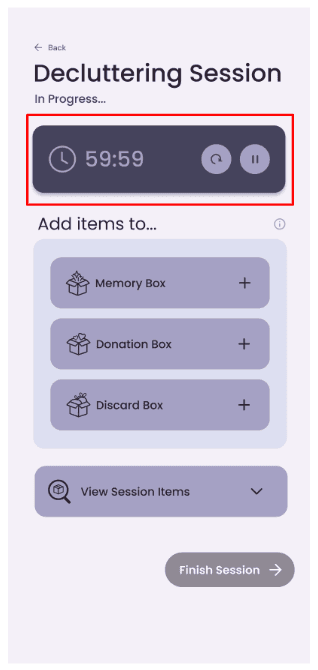
Lastly, we fixed our user-experience issue by renaming and separating the functions for differentiation. 'Unsure Items' has been separated and renamed into the 'Donation Box' and the 'Discard Box'. The naming conventions are more clear, and their purposes are reflected. For further understanding, we've added a simple info icon that explains the purpose of each function. The 'Memory Box' will function as a digital archive for items users have decided to let go. Previously, 'Unsure Items' could be in the 'Memory Box', and vice versa.